
A Singapore visitor decides whether to trust your business in about the time it takes to ride one MRT stop with a phone in hand. If the page loads slowly, hides the contact details or looks like an overseas template, they tap back and call a competitor. These twelve tips come from how local buyers actually browse, and each one is something your team can act on this month.
Good design is not decoration. For an SME, it is the shortest path between a stranger on Google and a message in your WhatsApp inbox.
1. Design for the phone in your visitor's hand first
Think about where your customers are when they search: on a train, in a queue at a hawker centre, or on a sofa after dinner. Almost all of those moments happen on a phone, so the mobile layout is your real homepage and the desktop layout is the bonus. Start your design in a narrow screen, with one column, large tap targets and text that is readable without pinching. Keep the phone number and WhatsApp button reachable with a thumb. Then expand the layout for laptops rather than shrinking a desktop design down. Test on an older Android phone as well as a recent iPhone, because many of your visitors are not using the newest device.
2. Put your promise and location above the fold
A first-time visitor should know three things without scrolling: what you do, who it is for, and where you operate. A headline such as "Aircon servicing for Singapore homes, same-day slots" does more work than "Welcome to our website". Add a short supporting line, one clear button and, if you serve a particular area, the neighbourhood or MRT region you cover. Local specificity builds trust quickly because it tells the visitor that you understand their situation. Avoid sliders that rotate through four messages, since most people never see the second slide and the first one disappears before it can be read.
3. Make WhatsApp the easiest next step
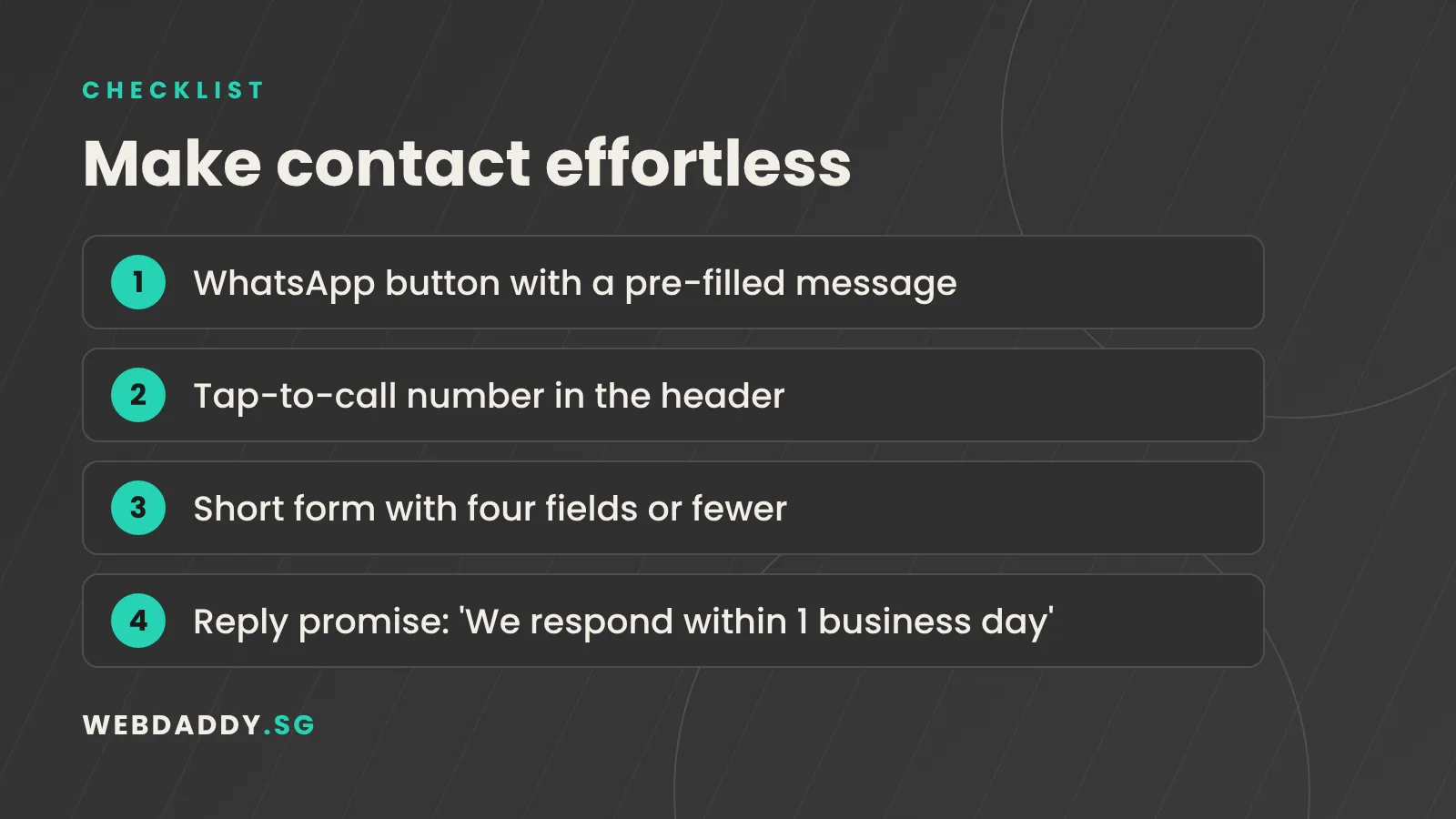
In Singapore, many people would rather send a quick WhatsApp message than fill in a form or wait on hold. Give them that option on every page with a sticky button that opens a chat with a pre-filled message such as "Hi, I would like a quote for...". Place a second option beside it for people who prefer to call, and a form for those who want to write at length. Offering three routes costs nothing and removes friction for each type of buyer. Make sure someone actually monitors the number during business hours, and set an auto-reply outside them so that no enquiry feels ignored.
4. Show proof that Singaporeans recognise
Trust is the main barrier for a small business that a customer has not heard of. Replace vague claims with evidence that a local buyer can check. Show Google reviews with first names, logos of Singapore clients you are allowed to display, certifications, awards, and the year you were founded. Add your UEN and registered address in the footer, because it signals that you are a real, accountable company. If you have photos of completed work in familiar places, such as an HDB estate, a shopfront in Tampines or an office in the CBD, use them. Proof works best when it sits next to the button you want people to press.
5. Keep navigation short and honest
Visitors rarely explore a menu with twelve items. Aim for five or six clear labels: Services, About, Projects, Pricing or Process, Blog and Contact. Use the words your customers use, not internal jargon, so "Aircon Cleaning" beats "Climate Solutions". Put a visible Contact or Get a Quote button at the end of the menu, styled differently so that it stands out. On mobile, keep the menu simple and avoid nesting items three levels deep. A good test is to ask a friend to find your opening hours and your price range in under ten seconds, without any hints.
6. Write for scanning, not for reading
People skim. Break content into short paragraphs, use descriptive subheadings, and place the most important sentence at the start of each block. Bullet points help when you list services or steps, but do not turn the whole page into a list. Write in a friendly and professional tone, in the English your customers actually speak, and keep jargon to a minimum. If you serve multiple language groups, consider adding key pages in Chinese or Malay later, after the English version is performing well. Read every page aloud once; if you stumble, your visitor will as well.
7. Treat speed as a design feature
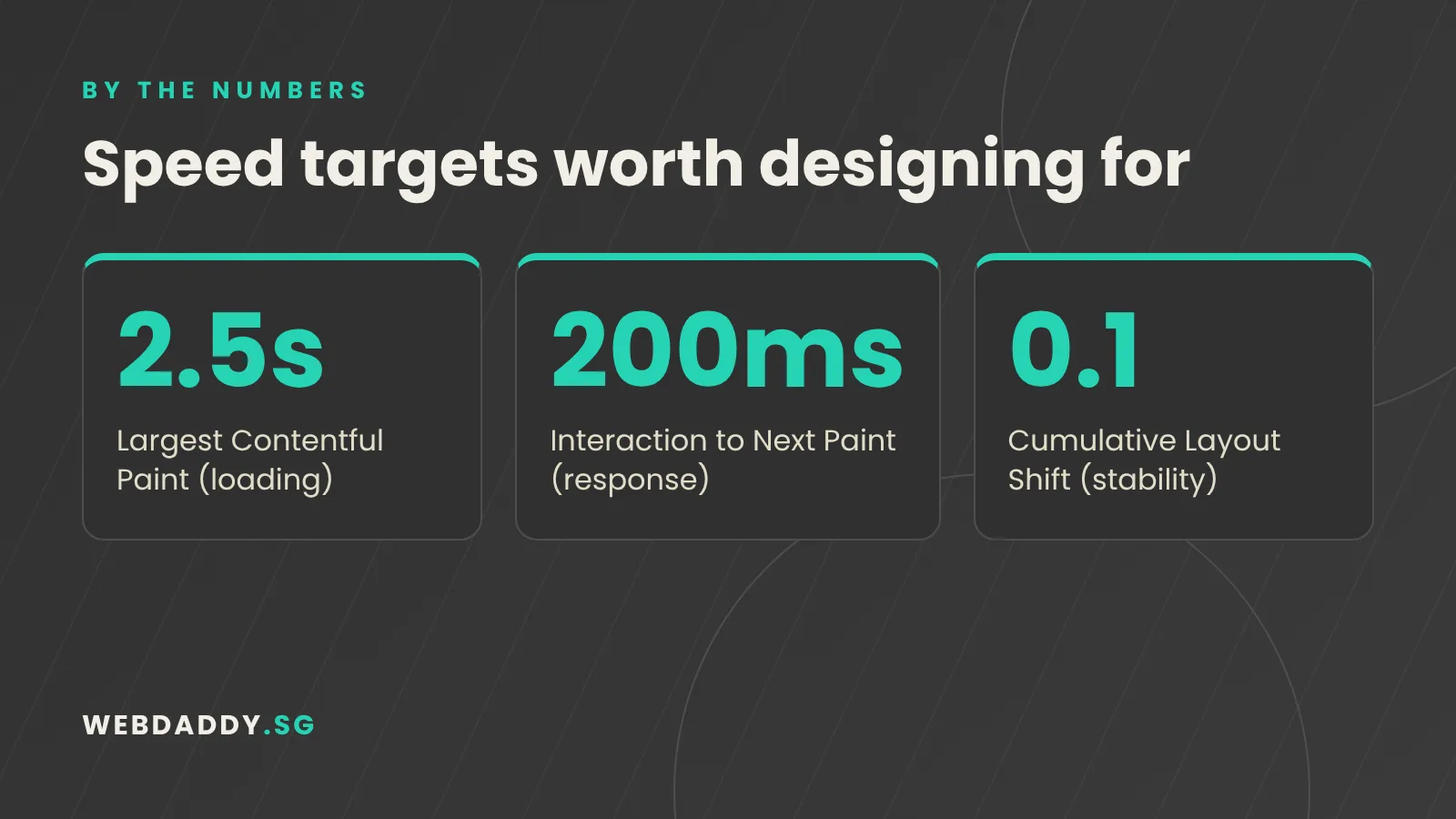
A beautiful page that takes five seconds to appear on mobile data is a failed design. Speed affects both conversions and search visibility, since Google measures loading, responsiveness and layout stability. Compress images, use modern formats such as WebP, limit the number of fonts, and avoid heavy animation on the first screen. Choose hosting with servers that are close to Singapore, or a content delivery network with an Asia-Pacific presence. Run your key pages through Google PageSpeed Insights and fix the biggest items first. Even small gains matter: shaving a second off a landing page can lift enquiries noticeably.
8. Build forms that respect the PDPA
Any form that collects names, phone numbers or emails falls under Singapore's Personal Data Protection Act. Ask only for what you need, such as name, mobile number and a short message, and explain why you need it. Add a clear consent line that links to a simple privacy policy, and do not pre-tick marketing boxes. Make sure submissions go to a secure inbox or CRM, not to a shared personal email that everyone can forward. Fewer fields also mean higher completion rates, so privacy and conversion usually point in the same direction. If you are unsure about legal wording, have a professional review it.
9. Use real photos and local detail
Generic stock images of smiling people in glass offices make your business look like everyone else's. Photograph your team, your premises, your products and your finished work. Even phone photos taken in good light beat overseas stock, and they help visitors picture what working with you is like. Add descriptive file names and alt text so that images support accessibility and search. Where you do use illustration, keep the style consistent with your brand colours. Small local details, such as a street name, a landmark or a familiar kopitiam, add personality and make the site feel genuinely Singaporean.
10. Make pricing and process less scary
Many visitors leave because they cannot tell whether they can afford you or how long the project will take. You do not need a full price list, but give a starting range, an example package or a simple explanation of what affects cost. Show your process in three or four steps, with typical timelines. Mention anything that reduces risk, such as free consultations, written quotations, warranties or revision rounds. Clear expectations attract serious enquiries and filter out poor fits. They also shorten sales calls, because visitors arrive already informed about how you work.
11. Plan for accessibility and search from day one
Accessible design helps everyone, including older Singaporeans and anyone using a phone in bright sunlight. Use sufficient colour contrast, readable font sizes, descriptive link text and proper heading order. Add alt text to images and labels to form fields. These same habits help search engines understand your pages. Pair them with unique page titles, meta descriptions, clean URLs and a logical structure, and you have the foundation of good SEO before a single keyword campaign begins. Retrofitting accessibility and search later is always more expensive than building them in from the start.
12. Review with data every quarter
A launch is the beginning of your design work, not the end. Set up Google Analytics and Search Console, and track a few simple measures: visits, enquiries, WhatsApp clicks, phone taps and the pages people leave from. Every quarter, look for pages with high traffic and low enquiries, then adjust the headline, the button or the proof on that page. Heatmaps and session recordings can reveal confusing layouts. Small, regular improvements compound, and they let you replace opinions with evidence when you decide what to change next.
Get a Singapore-ready website from Webdaddy
If you would like these tips applied to your own business, our team can help. Webdaddy builds fast, mobile-first website design for Singapore SMEs, shows you three design directions before you pay, and plans every page around enquiries rather than decoration. We can also support you after launch with website maintenance and SEO, so the site keeps working for you. Message us on WhatsApp at +65 8083 8785, email support@webdaddy.sg, or request a free consultation and we will review your current site with you.
Call +65 8083 8785Email support@webdaddy.sg
Frequently asked questions
How much does a website cost for a Singapore SME?
It depends on the number of pages, features and integrations. A simple brochure site costs much less than an online store or custom platform. Share your goals with us and we will give you a written quotation that separates each deliverable, so you can compare it fairly.
How long does it take to design and launch a business website?
A typical corporate website takes a few weeks from kick-off to launch, depending on how quickly content and feedback arrive. Larger builds with custom features take longer. We agree a timeline before work begins.
Do I need a WhatsApp button on my website?
For most service businesses in Singapore, yes. It gives visitors a fast, familiar way to contact you and often produces more enquiries than a form alone. Just make sure someone replies promptly.
Can Webdaddy redesign my existing site without hurting SEO?
Yes. We audit your current pages, keep the URLs and content that already perform, set up redirects where needed and monitor rankings after launch.